

As a supplier of STS Token Water Meters, I often receive inquiries about transferring STS tokens to another water meter. This process is crucial for users who need to move the prepaid water credit from one meter to another, whether it's due to meter replacement, relocation, or other reasons. In this blog, I'll walk you through the steps and considerations for transferring STS tokens to another water meter.
Understanding STS Token Water Meters
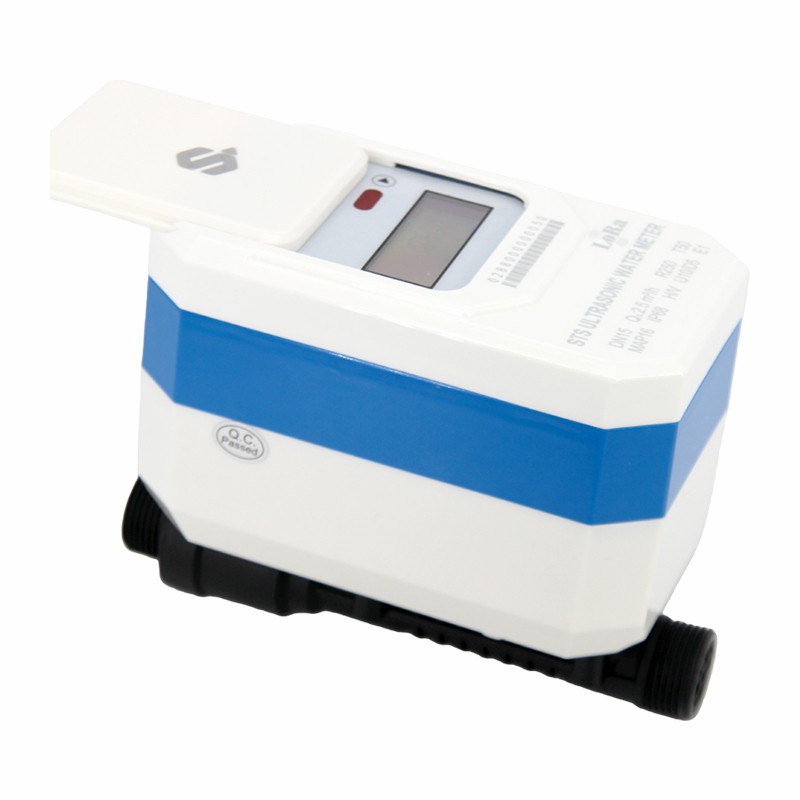
Before diving into the transfer process, it's essential to understand what STS (Standard Transfer Specification) token water meters are. STS is an international standard for prepayment systems, widely used in water meters to ensure secure and reliable transfer of credit between the utility provider and the end - user. Our STS Ultrasonic Valve Control Water Meter, STS Valve Control Water Meter, and STS Prepayment Water Meter all adhere to this standard, providing users with a seamless prepayment experience.
These meters work by allowing users to purchase water credit in the form of STS tokens. These tokens are typically generated by the utility provider's system and can be loaded onto the water meter using a token - receiving device, such as a key or a smart card. Once the token is loaded, the meter will update its credit balance, and the user can start using water until the credit runs out.
Reasons for Transferring STS Tokens
There are several reasons why you might need to transfer an STS token to another water meter:

- Meter Replacement: If your current water meter is malfunctioning or needs to be upgraded, you'll need to transfer the remaining credit to the new meter.
- Relocation: When moving to a new location, you may want to transfer the unused water credit from your old meter to the meter at your new residence.
- Account Consolidation: In some cases, users may have multiple water meters under the same account and wish to consolidate the credit onto one meter.
Steps to Transfer STS Tokens
The process of transferring STS tokens to another water meter generally involves the following steps:
Step 1: Contact the Utility Provider
The first and most important step is to contact your water utility provider. Inform them about your intention to transfer the STS token. They will need to verify your account details, such as your customer ID, meter number, and the remaining credit on the current meter. The utility provider will also check if the new meter is compatible with the STS standard and is registered in their system.
Step 2: Generate a Transfer Token
Once the utility provider has verified your information, they will generate a transfer token. This token is a special type of STS token that contains the information about the credit transfer. The utility provider will provide you with this token, which can be in the form of a key or a smart card, depending on your meter's token - receiving device.
Step 3: Load the Transfer Token onto the Old Meter
Insert the transfer token into the old water meter using the appropriate token - receiving device. The meter will read the token and process the transfer request. It will then generate a response token, which contains the details of the credit transfer, such as the amount of credit being transferred and the meter number of the receiving meter.
Step 4: Load the Response Token onto the New Meter
Take the response token generated by the old meter and insert it into the new water meter. The new meter will read the token and update its credit balance accordingly. After a successful transfer, the old meter will have its credit balance reset to zero, and the new meter will reflect the transferred credit.
Considerations and Precautions
While transferring STS tokens is a relatively straightforward process, there are some considerations and precautions to keep in mind:
- Token Expiry: STS tokens have an expiration date. Make sure to complete the transfer process before the token expires to avoid losing your credit.
- Meter Compatibility: Ensure that both the old and new water meters are compatible with the STS standard. Using non - compatible meters may result in a failed transfer or loss of credit.
- Record Keeping: Keep a record of all the tokens used during the transfer process, including the transfer token and the response token. This will help you in case of any disputes or issues with the transfer.
- Security: STS tokens are designed to be secure, but it's still important to handle them with care. Keep your tokens in a safe place and avoid sharing them with unauthorized individuals.
Troubleshooting
In some cases, you may encounter issues during the token transfer process. Here are some common problems and their solutions:
- Token Not Accepted: If the meter does not accept the token, check if the token is damaged or if the token - receiving device is working properly. You may also need to contact the utility provider to verify the token's validity.
- Incorrect Credit Transfer: If the amount of credit transferred is incorrect, contact the utility provider immediately. They will be able to investigate the issue and correct the transfer.
- Meter Error: If the meter displays an error message during the transfer process, it could indicate a problem with the meter itself. Contact your utility provider or a professional meter technician for assistance.
Conclusion
Transferring STS tokens to another water meter is a process that requires careful attention and coordination with your water utility provider. By following the steps outlined in this blog and taking the necessary precautions, you can ensure a smooth and successful transfer of your prepaid water credit.
If you're interested in our STS Token Water Meters or have any questions about the STS token transfer process, we'd love to hear from you. Our team of experts is always ready to assist you with your water metering needs. Whether you're a utility provider looking for reliable meters for your customers or an end - user in need of a high - quality water meter, we have the solutions for you. Contact us today to start a discussion about your requirements and explore how our products can benefit you.
References
- International Standard for STS (Standard Transfer Specification)
- Manufacturer's manuals for STS Token Water Meters